Knowledge that stays connected to delivery.
Write specs, decisions and runbooks, and link them to the stories, tests and releases that deliver them — down to the exact section. Review, approve and keep them current, together.
Included in every plan · free for teams of up to 5
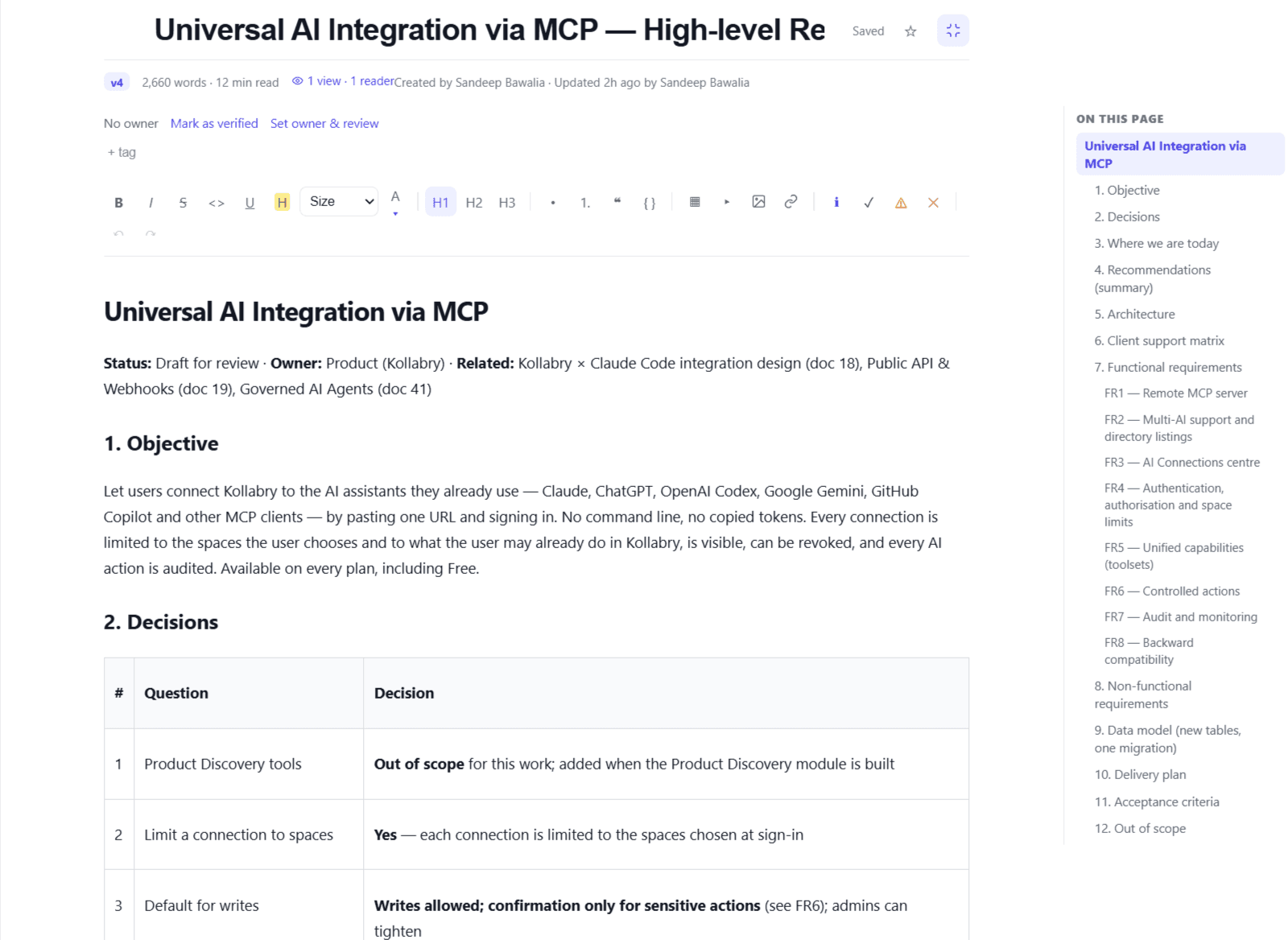
Everything your team writes, in one connected place
Real screens from Synergy. Pick a tab, or let it play.
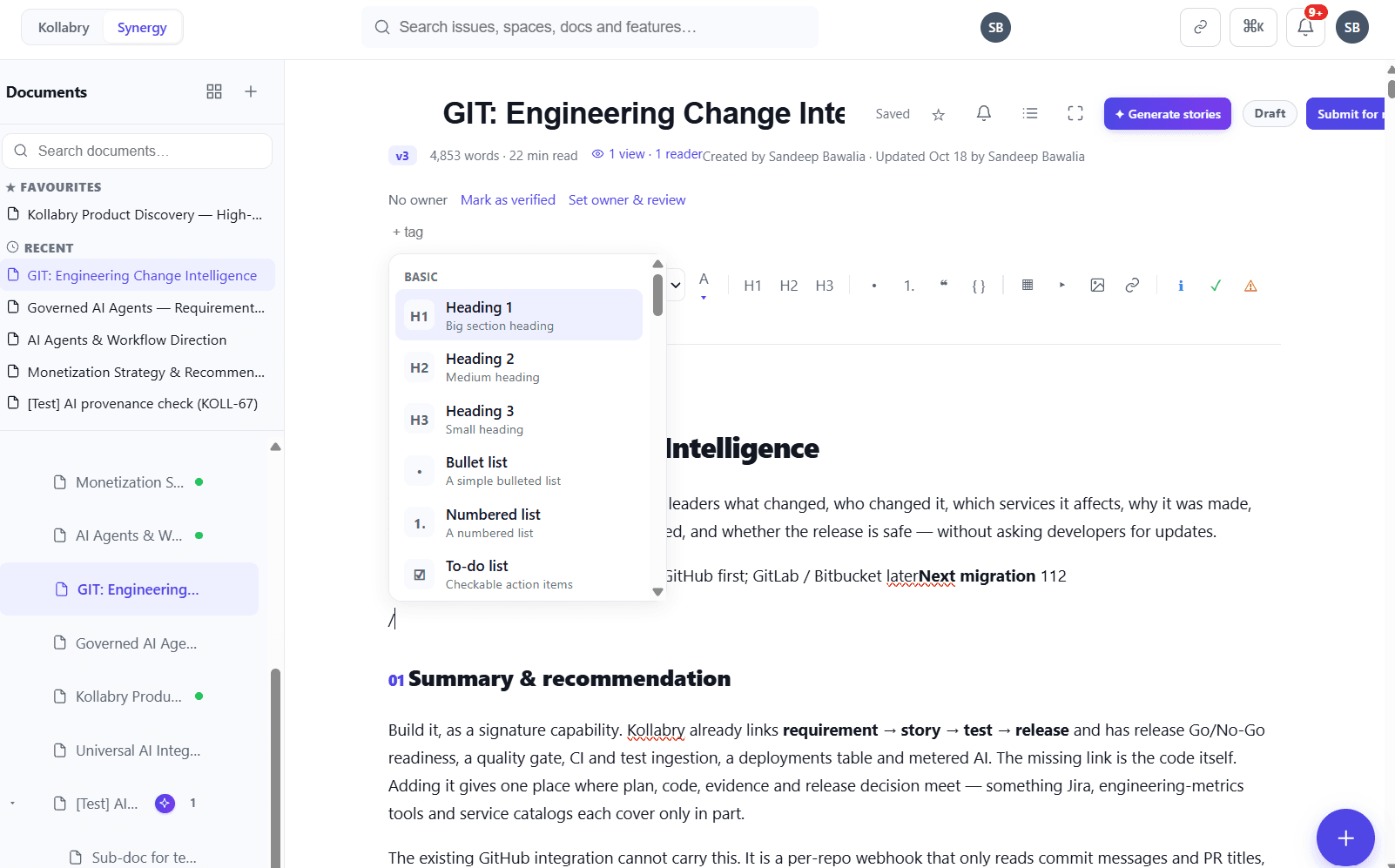
Type “/” for any block
Headings, lists, tables, callouts, decisions, timelines, charts and diagrams — all from the keyboard. Favourites and Recent keep your pages one click away.
Not another wiki
A writing experience teams enjoy
Type “/” for 20+ rich blocks — callouts, decisions, timelines, stat cards, FAQs, columns, tables, charts and Mermaid diagrams. @mention teammates and paste images.
Discuss right where it matters
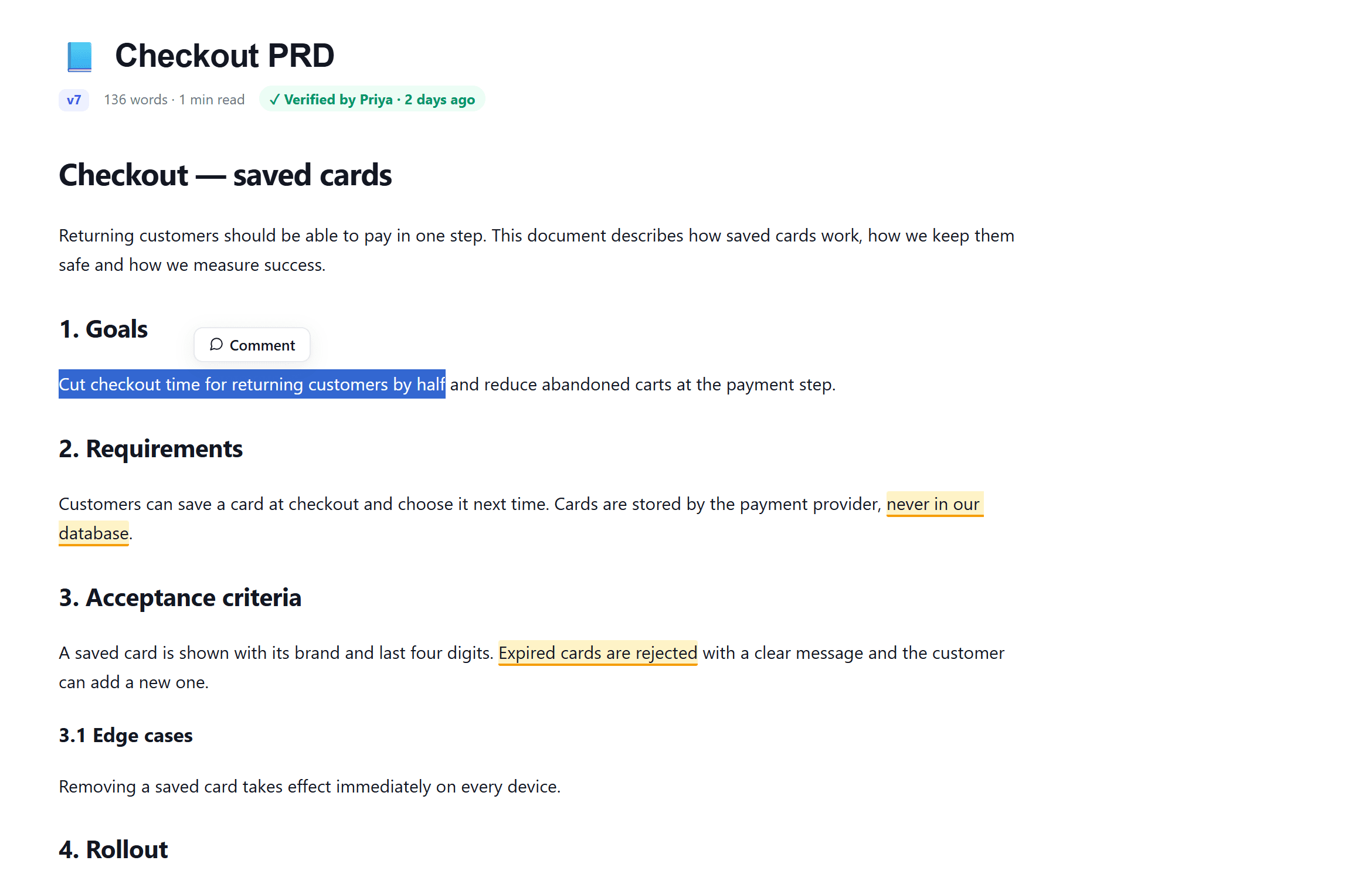
Comment on the page or on a selected sentence. Watch a document to hear about comments, reviews and edits. Brainstorm on whiteboards with live cursors.
Reviews and approvals built in
Draft → In review → Approved, with “request changes”. Every version kept, any two compared, and “changed since your last visit” for readers.
Connected to the work, down to the heading
Link a story or task to the exact section it delivers. Each document lists its linked work items and everything that references it.
Knowledge you can rely on
An owner and a review cycle per page: “Verified” or “May be out of date”, flagged in the tree. Archive old pages without losing them.
AI that works with your docs
Generate epics and stories from a spec. Claude, ChatGPT or Copilot can read and draft documents in the spaces you allow — marked “Created by AI”.
From a paragraph in the spec to the release
Link a story to the section it delivers. Kollabry carries that link through commits, tests and the release, so you can see what is done and verified for every requirement.
Two things a wiki can’t do
These work just like Synergy. Click around.
Checkout — saved cards
Returning customers should be able to . Card details are ; the payment provider keeps them.
with a clear message, and the customer can add a new card.
Comments appear here, quoting the exact text.
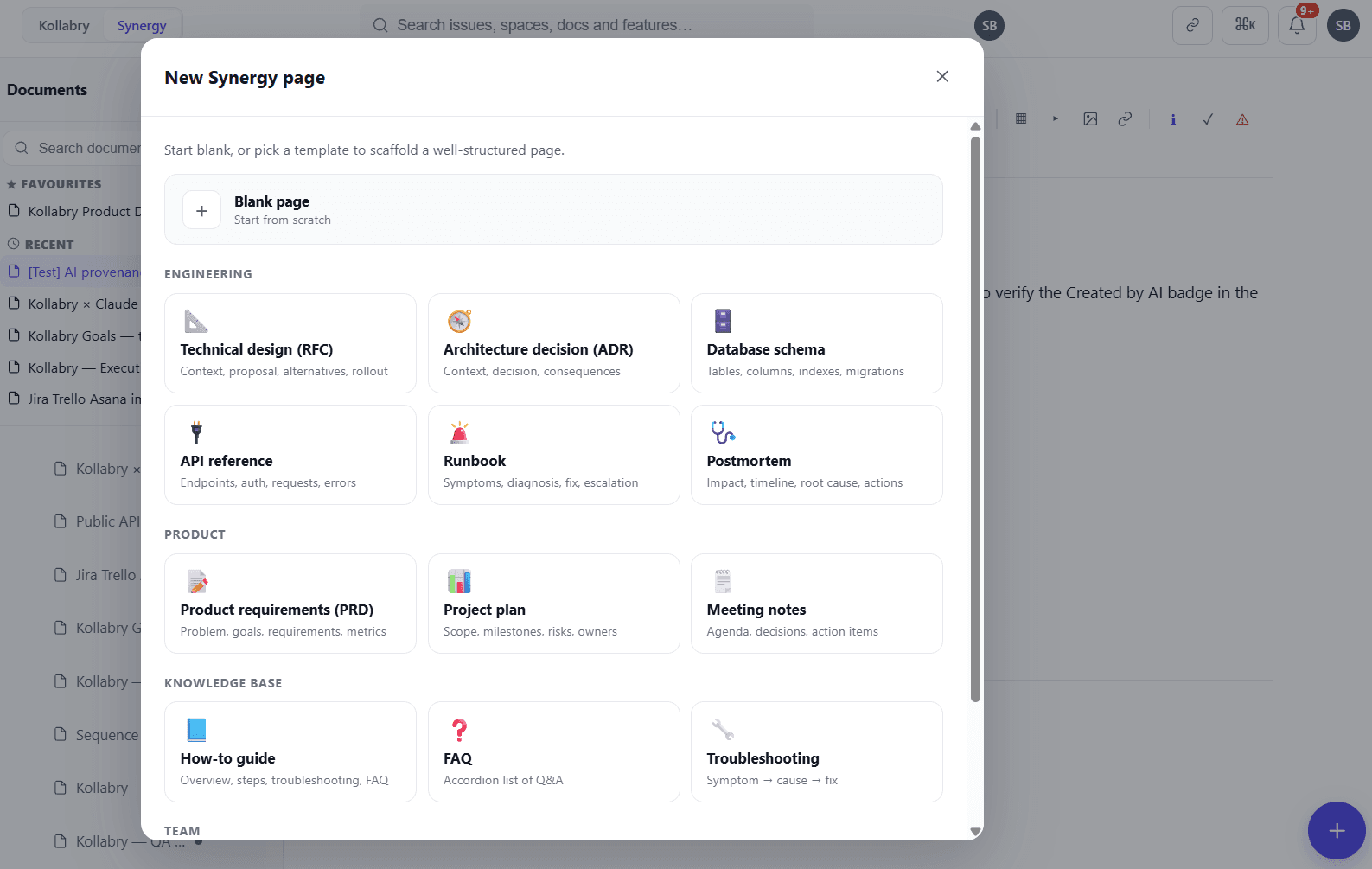
Start from a template your team already needs
Every PRD, RFC and postmortem with the same structure, so nothing important is missed.
Small things that make a big difference
Your most-used pages at the top of the tree.
A distraction-free view for reading and writing.
Views and readers, so authors know a spec was read.
Copy a link that opens a document at a heading.
Notifications for comments, reviews and edits.
An emoji per page to scan big trees faster.
PDF or Word, or share a link by email.
Bring your pages across from Confluence.
Why keep docs next to the work
Questions teams ask
Is Synergy a separate product?
No. Synergy is part of every Kollabry workspace and included in every plan, including Free for teams of up to 5. There is nothing extra to buy or install.
How does linking to a heading work?
When you link a story or task to a document, you can choose the whole document or a specific section. The work item shows the section it delivers, and the document shows every work item linked to it.
Can we bring our Confluence pages?
Yes. Import pages from Confluence into a space, then link them to your work. You can also export any document as PDF or Word.
Who can approve documents?
Product Owners, Scrum Masters, space leads and admins approve or request changes; space members write, comment and submit for review.
Do AI assistants work with Synergy?
Yes. Through Kollabry’s MCP server, assistants such as Claude, ChatGPT and Copilot can read documents and create drafts in the spaces you allow. Publishing and approval stay with people, and AI-created documents are marked.
What happens to old documents?
Archive them. They leave the tree and search but are kept, and anyone with access can restore them. Owners and review cycles flag pages that need a check before they go stale.
Bring your team’s knowledge and work together
Free for teams of up to 5. Synergy, the tracker, QA and AI in one workspace.